Original: $559.23
-65%$559.23
$195.73The Story
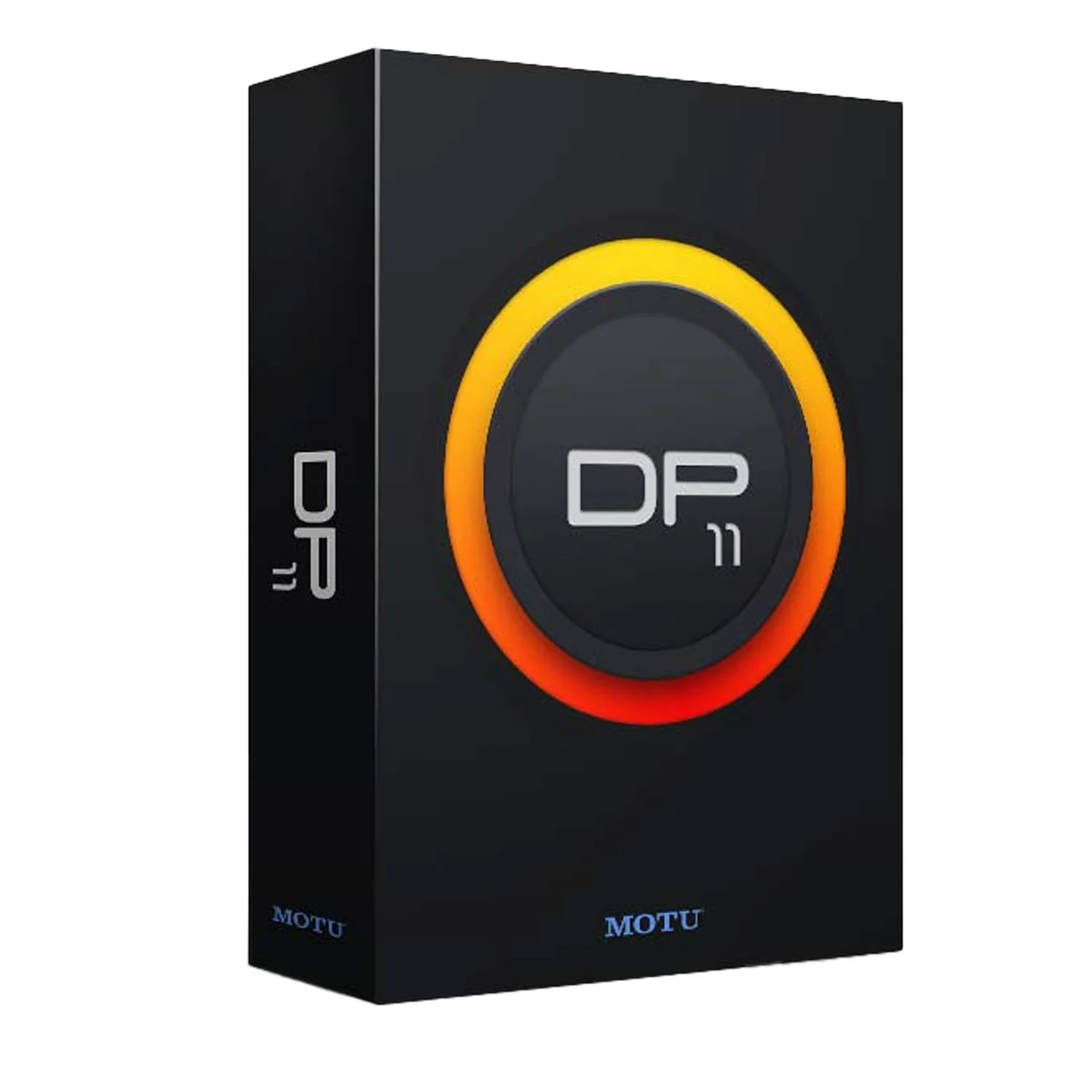
Get inspired, then refine your mix — all in a singular workflow. Digital Performer 11 delivers inspirational features devised to ignite your creative muse, combined with state-of-the-art studio production technologies engineered for the most demanding, world-class recording and production environments.
Nanosampler 2.0
This major upgrade of DP’s nanosampler virtual instrument plug-in adds time stretching, beat slicing and a ground-up rewrite of the UI:
- 3 Playback Modes: Classic, 1-shot, Slice
- ZTX time-stretching
- Settings tab with Envelopes and LFO graphs
- Trigger and Gate playback
- Snap sample start/end, loop start/end and slice start points to minimize clicks
- Sample Gain
- Sample fade-in/out
- Repeat
- Reverse
- Full UI redesign
- Drag and drop improvements
- Support for 32- and 64-bit floating point sound files
Articulation Maps
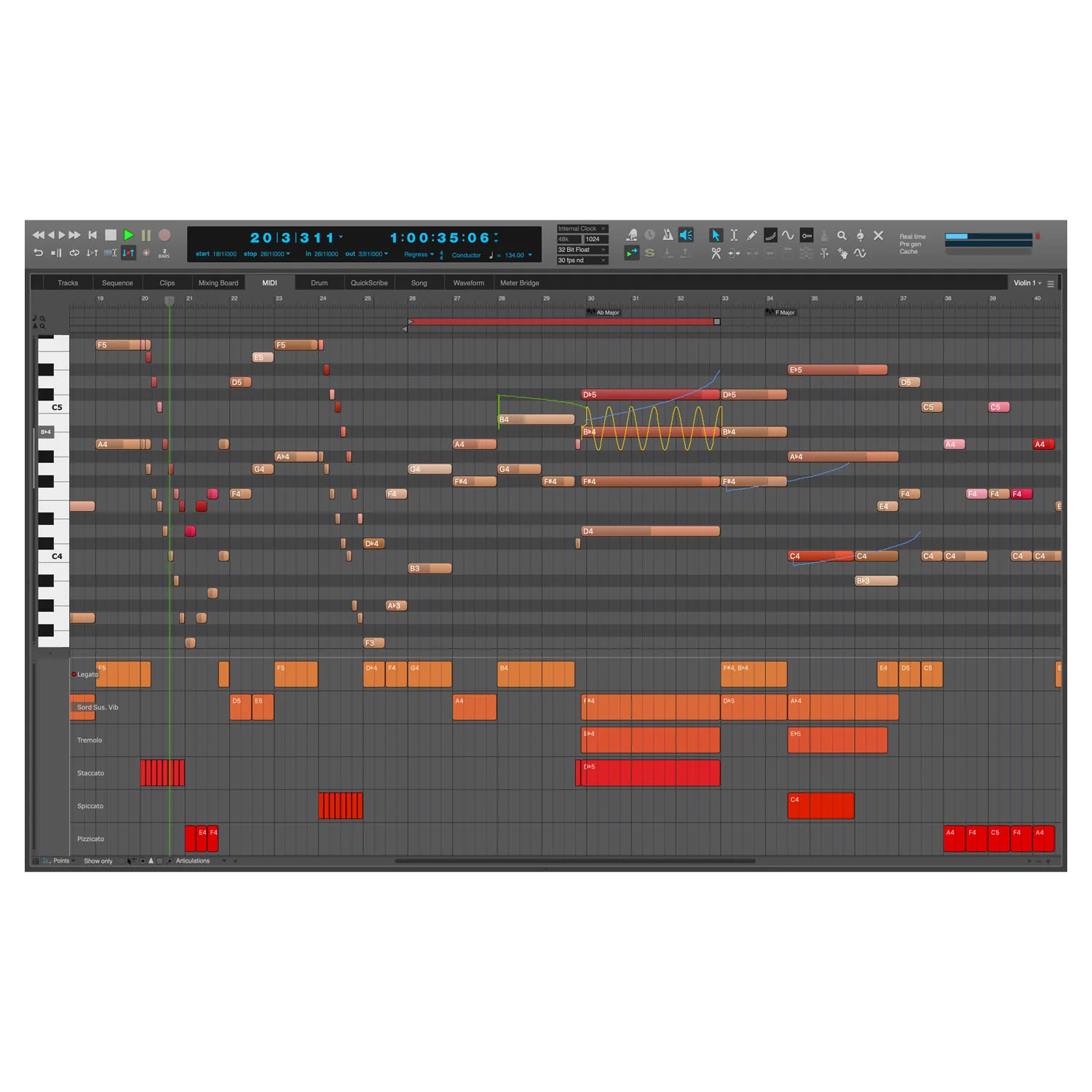
Articulation maps allow you to dynamically apply variation to the output of a MIDI track using remote triggers that affect the output of the track. For example, you could create an articulation map called Basic Articulations with separate triggers for Legato, Staccato and Marcato, and then expressively switch among them, on the fly, as you record or play the track. You can import or create custom maps for many popular orchestra sound libraries. Articulation symbols appear in the QuickScribe Editor, linked to their articulation map, where they can be further edited and inserted. You can also edit articulations for a track in lanes in the Graphic Editor and QuickScribe Editor.
Audio Retrospective Record
DP11 adds audio to its Retrospective Recording capabilities. Now, DP always listens to both MIDI and audio input sources, capturing everything, even if you’re not recording. Like magic, you can immediately recall any audio or MIDI material you’ve recently played. For both MIDI and audio input, Digital Performer frees your creativity and ensures you'll never lose that precious, fleeting creative moment.
Clip Triggering With Novation™ and Akai™ Pad Controllers
Gain complete hands-on control of DP’s extensive Clips window with a pad controller like the Novation™ Launchpad™ Pro mk3 or Akai™ APC-40. Trigger individual clips or entire scenes (sections of songs). Apply filter sweeps and other effects processing as you go: Digital Performer is now a powerhouse live performance platform that can take your shows wherever you can imagine.
Live Performance Mode
When performing live, you want all effects processing to be done in real time, rather than pre- generated, for instant responsiveness. Live Performance Mode ensures that your computer feels like an extension of your hands.
Chunk Folders and Playlists
DP’s unique Chunks feature allows you to create and manage multiple sequences, songs and V-Racks in a single DP project file, from cues for a movie score to set lists for live shows. In DP11, you can now organize your chunks into folders and playlists. Folders are for perfect for organizing your chunks, while playlists serve perfectly as set lists for your next live show.
Chunks List Split View
Split the chunk list in two sections for improved chunk list management. For example, you could search for a chunk in one list section and then drag it into a folder or playlist in the other. Managing your chunks has never been easier.
Multi-channel MIDI Tracks
You can now record and play multiple channels of MIDI data in a single track. When setting MIDI track input and output assignments, instead of choosing a specific channel, you can choose ‘any.’ When you choose any for input, you can record all 16 MIDI channels into the track at once. The channels are stored with the MIDI events in the track. When you choose ‘any’ in the track's output assignment, the events will be played out on the same channel they were recorded.
Enhanced View Filtering
Show and hide individual MIDI channel data using new ‘Channel Selection’ section in the Track Selector. Use the ‘Event Type Selector’ section to show and hide specific event types.
Support for MPE and Per-Note CCs
MIDI Polyphonic Expression (MPE) is here! In DP 11, you can record multi-channel output from an MPE controller — such as a Roli™ Seaboard™ — as regular MIDI notes containing MPE expression data. Instead of a slew of note and controller data splayed across dozens of tracks, you see a single stream of normal MIDI notes that each contain their own note-specific controllers, for easy and intuitive editing. Hide and show the contained per-note controller and pitch-change events in DP’s familiar piano roll. Zoom in the note grid for finer detail. Zoom per- note data independently of the notes that contain them. Select a number of notes and simply drag vertically on their per-note data with the new "Scale" tool to increase or reduce the amount of expression.
MPE-enabled virtual synths
The following virtual synth instruments that are included with DP support MPE: Bassline,Modulo, MX4, Nanosampler 2.0, Polysynth and Proton.
Per-note Expression Data Lanes
Add separate lanes in the Sequence Editor to view and edit per-note MPE expression data with DP’s familiar and powerful continuous controller (CC) editing tools. A check box in each lane allows you to easily toggle the lane between track data and per-note data. With zero learning curve, you’ll master the editing of per-note expression data.
New Scale Tool
Quickly scale per-note expression data by simply dragging vertically with the new Scale Tool.
New Control Surface plug-ins for Native Instruments™ and Icon™
DP 11 includes new control surface plug-ins for the current Native Instruments™ Komplete Kontrol™ lineup, including the M32, A-Series, and S-Series MK2 controller lines, and the hot new iCON Control™ mixing worksurfaces like the QCon™ Pro G2/EX, Pro X/XS, Platform Nano and Platform M/X series. These state-of-the-art control surfaces empower your DP workflow so you can work faster and more intuitively.
Enhanced Avid™ EuCon™ Support
DP’s EuCon plug-in has been substantially updated, including support for the Avid S6™ console. In addition, you can now use your EuCon worksurface with DP running on Windows 10.
Enhanced Support for MCU and HUI-compatible Control Surfaces
A new plug-in called “MCU Compatible” improves support for third-party control surfaces that are Mackie Control Universal-compatible. Substantial improvements have been made to DP’s Mackie Control Universal (MCU) and HUI control surface plug-ins, which can be used with any control surface that supports those protocols, including improved automation toggling, scrub modes, send mode, loop toggle and much more.
More Control Surface Enhancements
For all control surfaces that support these features: V-Racks can now be displayed on all control surfaces. New track pinning modes (Pin to Mixer, Pin to Focus Window and All Tracks) significantly improve the way corresponding tracks are displayed in DP and on the control surface, so that you always see the tracks you need. New track indicator lights in the Sequence Editor and Mixing Board show which tracks are currently active on any control surface.
Track and Clip Effects
Every audio track, MIDI track and clip now has a basic transpose setting that you can use to transpose the content of that track or clip by an interval on playback, leaving the original data unaffected. You can conveniently change the setting at any time. MIDI tracks and clips also have a quantize setting, in addition to transpose.
Intelligent Audio Interface Selection
On macOS, if you haven’t yet selected the audio hardware you wish to use with DP, DP finds the best option for you. If you have a MOTU interface, or other professional interface, DP uses it. If not, DP uses whatever input and output devices you have selected in the System Preferences Sound Panel, and will follow your selection there if you change it. Of course, if you do choose an interface from within DP, DP uses it.
Clips Window Enhancements
The new ‘Empty Clips Scene’ command makes a new scene and fills it with new empty clips. The ‘Double Clip Loop’ feature doubles the length of the looped portion in a clip and repeats the material to fill the new loop, so you can easily creates changes that you hear every other time through the looped material.
List Font Scaling
Now you can resize the text in DP’s list windows, independent of the scaling for the rest of the UI. Control three new font size preferences: List, Project Notes and Lyrics.
Text Rendering and dialog box scaling on Windows
Taking advantage of the latest text rendering engine in Windows 10, DP’s text appears significantly crisper. Numerous additional text alignment tweaks improve DP’s look on Windows. DP now also uses Windows 10's DPI-awareness setting, allowing DP to resize system dialogs and menus appropriately for the size and resolution of your computer screen.
Dynamically Resizable Channel Strips
DP's faders resize when you make the Mixing Board and Channel Strip windows taller (or shorter).
Support for macOS Big Sur and Apple silicon Macs
DP11 is fully qualified for macOS Big Sur (11.x) and the latest generation Apple silicon Macs. DP’s audio engine is fully optimized for multi-core performance on Apple silicon, prioritizing audio threads on high-speed cores and reserving CPU bandwidth for critical, time-sensitive processing.
‘Transpose Exclude’ option
A new track setting (column) in the Track List allows you to exclude tracks from the Transpose region command. There are also new commands to turn it on and off.
Key Features:
- Award-winning DAW software that’s perfect for recording audio, scoring music, and arranging sound for post production
- Powerful audio recording and MIDI sequencing that’s only limited by your computer’s capabilities
- Articulation Maps enhance your scoring workflow with advanced orchestral sound libraries
- Nanosampler 2.0 brings you advanced sampling and sound design capabilities
- Advanced integration with external controllers including Novation Launchpad, Akai APC series, Native Instruments Komplete Kontrol series, iCON Control devices, and Avid EuCon controllers
- Supports MIDI Polyphonic Expression (MPE) with MPE-capable controllers from Roli and other manufacturers
- MX4 synthesizer and other included instruments have been updated to support MPE input
- Live Performance mode performs effects processing in real time
- Multichannel MIDI tracks allow you to record and play multiple channels of MIDI in a single track
- Stretch Audio powered by Zynaptiq ZTX PRO time-stretching and pitch-shifting technology
- Beat Detection 2.0 engine instantly conforms imported audio to your project’s tempo
- Clips window for live triggering and looping
- Flexible, scalable user interface lets you create and arrange your own environment to best suit your workflow
- Consolidated window options let you instantly switch between complete layouts
- Nondestructive track comping lets you easily organize and manage multiple takes on a single track
- Enhanced video engine lets you view full 720p or 1080p HD video clips on your main or secondary monitor
- QuickScribe Music Notation offers accurate real-time MIDI transcription and advanced tools for fine-tuning your score
- Sample-accurate timing and synchronization also makes DP perfect for live event triggering
- AAF, OMF, XML file interchange options make collaboration easy
Details & Craftsmanship
Every detail has been carefully considered to bring you the perfect product.
Description
Get inspired, then refine your mix — all in a singular workflow. Digital Performer 11 delivers inspirational features devised to ignite your creative muse, combined with state-of-the-art studio production technologies engineered for the most demanding, world-class recording and production environments.
Nanosampler 2.0
This major upgrade of DP’s nanosampler virtual instrument plug-in adds time stretching, beat slicing and a ground-up rewrite of the UI:
- 3 Playback Modes: Classic, 1-shot, Slice
- ZTX time-stretching
- Settings tab with Envelopes and LFO graphs
- Trigger and Gate playback
- Snap sample start/end, loop start/end and slice start points to minimize clicks
- Sample Gain
- Sample fade-in/out
- Repeat
- Reverse
- Full UI redesign
- Drag and drop improvements
- Support for 32- and 64-bit floating point sound files
Articulation Maps
Articulation maps allow you to dynamically apply variation to the output of a MIDI track using remote triggers that affect the output of the track. For example, you could create an articulation map called Basic Articulations with separate triggers for Legato, Staccato and Marcato, and then expressively switch among them, on the fly, as you record or play the track. You can import or create custom maps for many popular orchestra sound libraries. Articulation symbols appear in the QuickScribe Editor, linked to their articulation map, where they can be further edited and inserted. You can also edit articulations for a track in lanes in the Graphic Editor and QuickScribe Editor.
Audio Retrospective Record
DP11 adds audio to its Retrospective Recording capabilities. Now, DP always listens to both MIDI and audio input sources, capturing everything, even if you’re not recording. Like magic, you can immediately recall any audio or MIDI material you’ve recently played. For both MIDI and audio input, Digital Performer frees your creativity and ensures you'll never lose that precious, fleeting creative moment.
Clip Triggering With Novation™ and Akai™ Pad Controllers
Gain complete hands-on control of DP’s extensive Clips window with a pad controller like the Novation™ Launchpad™ Pro mk3 or Akai™ APC-40. Trigger individual clips or entire scenes (sections of songs). Apply filter sweeps and other effects processing as you go: Digital Performer is now a powerhouse live performance platform that can take your shows wherever you can imagine.
Live Performance Mode
When performing live, you want all effects processing to be done in real time, rather than pre- generated, for instant responsiveness. Live Performance Mode ensures that your computer feels like an extension of your hands.
Chunk Folders and Playlists
DP’s unique Chunks feature allows you to create and manage multiple sequences, songs and V-Racks in a single DP project file, from cues for a movie score to set lists for live shows. In DP11, you can now organize your chunks into folders and playlists. Folders are for perfect for organizing your chunks, while playlists serve perfectly as set lists for your next live show.
Chunks List Split View
Split the chunk list in two sections for improved chunk list management. For example, you could search for a chunk in one list section and then drag it into a folder or playlist in the other. Managing your chunks has never been easier.
Multi-channel MIDI Tracks
You can now record and play multiple channels of MIDI data in a single track. When setting MIDI track input and output assignments, instead of choosing a specific channel, you can choose ‘any.’ When you choose any for input, you can record all 16 MIDI channels into the track at once. The channels are stored with the MIDI events in the track. When you choose ‘any’ in the track's output assignment, the events will be played out on the same channel they were recorded.
Enhanced View Filtering
Show and hide individual MIDI channel data using new ‘Channel Selection’ section in the Track Selector. Use the ‘Event Type Selector’ section to show and hide specific event types.
Support for MPE and Per-Note CCs
MIDI Polyphonic Expression (MPE) is here! In DP 11, you can record multi-channel output from an MPE controller — such as a Roli™ Seaboard™ — as regular MIDI notes containing MPE expression data. Instead of a slew of note and controller data splayed across dozens of tracks, you see a single stream of normal MIDI notes that each contain their own note-specific controllers, for easy and intuitive editing. Hide and show the contained per-note controller and pitch-change events in DP’s familiar piano roll. Zoom in the note grid for finer detail. Zoom per- note data independently of the notes that contain them. Select a number of notes and simply drag vertically on their per-note data with the new "Scale" tool to increase or reduce the amount of expression.
MPE-enabled virtual synths
The following virtual synth instruments that are included with DP support MPE: Bassline,Modulo, MX4, Nanosampler 2.0, Polysynth and Proton.
Per-note Expression Data Lanes
Add separate lanes in the Sequence Editor to view and edit per-note MPE expression data with DP’s familiar and powerful continuous controller (CC) editing tools. A check box in each lane allows you to easily toggle the lane between track data and per-note data. With zero learning curve, you’ll master the editing of per-note expression data.
New Scale Tool
Quickly scale per-note expression data by simply dragging vertically with the new Scale Tool.
New Control Surface plug-ins for Native Instruments™ and Icon™
DP 11 includes new control surface plug-ins for the current Native Instruments™ Komplete Kontrol™ lineup, including the M32, A-Series, and S-Series MK2 controller lines, and the hot new iCON Control™ mixing worksurfaces like the QCon™ Pro G2/EX, Pro X/XS, Platform Nano and Platform M/X series. These state-of-the-art control surfaces empower your DP workflow so you can work faster and more intuitively.
Enhanced Avid™ EuCon™ Support
DP’s EuCon plug-in has been substantially updated, including support for the Avid S6™ console. In addition, you can now use your EuCon worksurface with DP running on Windows 10.
Enhanced Support for MCU and HUI-compatible Control Surfaces
A new plug-in called “MCU Compatible” improves support for third-party control surfaces that are Mackie Control Universal-compatible. Substantial improvements have been made to DP’s Mackie Control Universal (MCU) and HUI control surface plug-ins, which can be used with any control surface that supports those protocols, including improved automation toggling, scrub modes, send mode, loop toggle and much more.
More Control Surface Enhancements
For all control surfaces that support these features: V-Racks can now be displayed on all control surfaces. New track pinning modes (Pin to Mixer, Pin to Focus Window and All Tracks) significantly improve the way corresponding tracks are displayed in DP and on the control surface, so that you always see the tracks you need. New track indicator lights in the Sequence Editor and Mixing Board show which tracks are currently active on any control surface.
Track and Clip Effects
Every audio track, MIDI track and clip now has a basic transpose setting that you can use to transpose the content of that track or clip by an interval on playback, leaving the original data unaffected. You can conveniently change the setting at any time. MIDI tracks and clips also have a quantize setting, in addition to transpose.
Intelligent Audio Interface Selection
On macOS, if you haven’t yet selected the audio hardware you wish to use with DP, DP finds the best option for you. If you have a MOTU interface, or other professional interface, DP uses it. If not, DP uses whatever input and output devices you have selected in the System Preferences Sound Panel, and will follow your selection there if you change it. Of course, if you do choose an interface from within DP, DP uses it.
Clips Window Enhancements
The new ‘Empty Clips Scene’ command makes a new scene and fills it with new empty clips. The ‘Double Clip Loop’ feature doubles the length of the looped portion in a clip and repeats the material to fill the new loop, so you can easily creates changes that you hear every other time through the looped material.
List Font Scaling
Now you can resize the text in DP’s list windows, independent of the scaling for the rest of the UI. Control three new font size preferences: List, Project Notes and Lyrics.
Text Rendering and dialog box scaling on Windows
Taking advantage of the latest text rendering engine in Windows 10, DP’s text appears significantly crisper. Numerous additional text alignment tweaks improve DP’s look on Windows. DP now also uses Windows 10's DPI-awareness setting, allowing DP to resize system dialogs and menus appropriately for the size and resolution of your computer screen.
Dynamically Resizable Channel Strips
DP's faders resize when you make the Mixing Board and Channel Strip windows taller (or shorter).
Support for macOS Big Sur and Apple silicon Macs
DP11 is fully qualified for macOS Big Sur (11.x) and the latest generation Apple silicon Macs. DP’s audio engine is fully optimized for multi-core performance on Apple silicon, prioritizing audio threads on high-speed cores and reserving CPU bandwidth for critical, time-sensitive processing.
‘Transpose Exclude’ option
A new track setting (column) in the Track List allows you to exclude tracks from the Transpose region command. There are also new commands to turn it on and off.
Key Features:
- Award-winning DAW software that’s perfect for recording audio, scoring music, and arranging sound for post production
- Powerful audio recording and MIDI sequencing that’s only limited by your computer’s capabilities
- Articulation Maps enhance your scoring workflow with advanced orchestral sound libraries
- Nanosampler 2.0 brings you advanced sampling and sound design capabilities
- Advanced integration with external controllers including Novation Launchpad, Akai APC series, Native Instruments Komplete Kontrol series, iCON Control devices, and Avid EuCon controllers
- Supports MIDI Polyphonic Expression (MPE) with MPE-capable controllers from Roli and other manufacturers
- MX4 synthesizer and other included instruments have been updated to support MPE input
- Live Performance mode performs effects processing in real time
- Multichannel MIDI tracks allow you to record and play multiple channels of MIDI in a single track
- Stretch Audio powered by Zynaptiq ZTX PRO time-stretching and pitch-shifting technology
- Beat Detection 2.0 engine instantly conforms imported audio to your project’s tempo
- Clips window for live triggering and looping
- Flexible, scalable user interface lets you create and arrange your own environment to best suit your workflow
- Consolidated window options let you instantly switch between complete layouts
- Nondestructive track comping lets you easily organize and manage multiple takes on a single track
- Enhanced video engine lets you view full 720p or 1080p HD video clips on your main or secondary monitor
- QuickScribe Music Notation offers accurate real-time MIDI transcription and advanced tools for fine-tuning your score
- Sample-accurate timing and synchronization also makes DP perfect for live event triggering
- AAF, OMF, XML file interchange options make collaboration easy